Use the actual Indeed uploader as your starting point
Indeed's formatting-help article recommends text-based documents such as Word files or PDFs exported from text, and advises a file no larger than 5MB. Its current profile-upload guide says the profile experience is being updated and tells users to check the accepted format when uploads fail. Read the instructions shown in your account rather than assuming every country and upload route is identical.
These official sources were checked on 14 November 2026. They concern Indeed's profile and CV handling, not every employer website reached from a job listing. If an application redirects you to another service, use that site's accepted formats and limits. A file can be suitable for your Indeed profile and still need a different export for a particular employer.
Prefer a real text document to a photograph of a CV
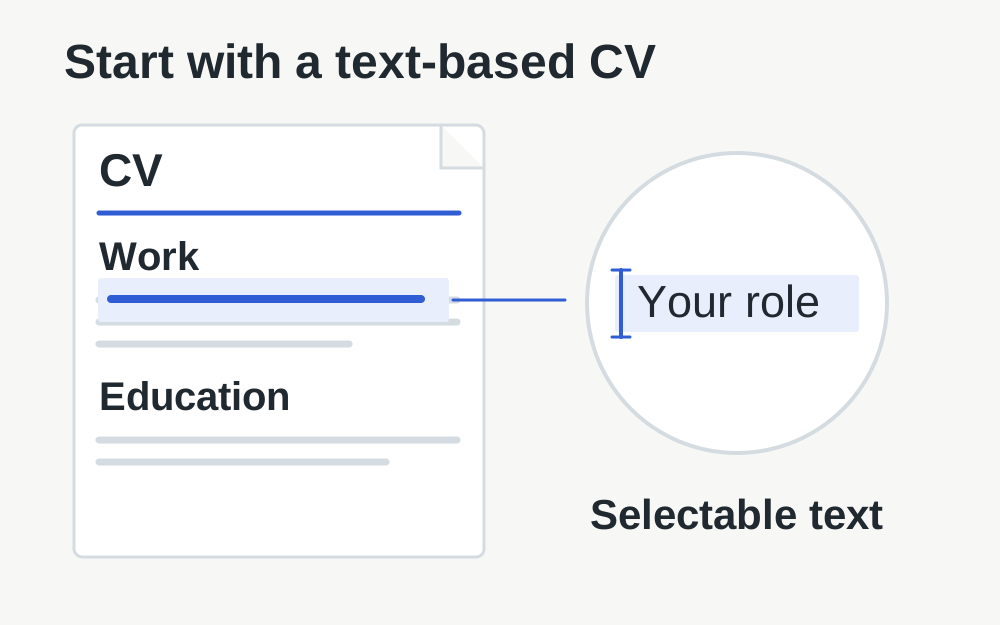
If you wrote the CV in a word processor, export it from that application. Printing it and taking a photograph adds a visual capture step without helping an online profile read the information. A photographed page can be clear to you but still consist entirely of pixels. Saving that image inside a PDF does not automatically create selectable text.
Open your PDF and try selecting a short line of text. This is a useful practical check, although it does not guarantee that every system will interpret the document correctly. Check that your name, contact details and work history remain ordinary readable text. If the document is image-only, return to the editable source rather than relying on a format change to create the missing text layer.
Keep the layout straightforward enough to review
Indeed's current guidance advises against scans, photos, graphics and two-column layouts. Its troubleshooting also notes that unconventional organisation can place imported content in the wrong sections. This does not mean every plain-looking document will import perfectly, so inspect the result yourself. The objective is to make the structure clear to both the reader and the platform.
Use headings that describe the information beneath them, and keep dates associated with the right role. Avoid relying on position alone to explain which text belongs together. A decorative sidebar that looks attractive in a design application may be read in an unexpected order. Removing unnecessary layout complexity is often more useful than reducing a PDF's byte count.
Check the final export, not just the editable document
Open the exact exported file in a separate viewer. Look for clipped lines, missing symbols, unexpected blank pages and a final sentence pushed onto another page. Fonts and page breaks can change during export. Reviewing only the source document leaves those changes unnoticed until the recruiter or the upload preview reveals them.
Check contact details carefully and test any links you intend to include. An email address rendered as an image can be harder to copy, and a hyperlink may point somewhere different from its visible text. These are document-quality checks rather than upload requirements, but they matter more to the usefulness of a CV than achieving the smallest possible file.
If the CV is too large
A short text-based CV is often far smaller than a file containing a large portrait, background photograph or full-page scan. Inspect what contributes to the size before compressing everything. Remove unnecessary decorative imagery in the source document if it serves no useful purpose. Keep the editable original so you can make a clean new export.
The PDF compressor here uses lossless repacking and may save little on an already compact document. It does not rewrite your CV or improve the way an employer system reads it. If you need a substantially smaller file, simplify the source or export with appropriate settings, then check readability and page breaks again. Do not replace useful text with blurred screenshots.
When the selected file has the wrong format
A document name ending in .pdf does not guarantee that it contains PDF data. If a file has been renamed casually, open the source application and export the correct type. Converting a photograph to PDF can create a valid PDF, but it remains a picture of a CV. That distinction matters when the destination expects text it can read.
Make My Files Work can inspect supported image and PDF formats; it does not convert every Word, ODT or other document accepted by a recruitment service. Use the creating application for those formats. Do not treat a limitation in our checker as evidence that Indeed rejects the file. The two services have different supported operations and different purposes.
Review the imported profile after a successful upload
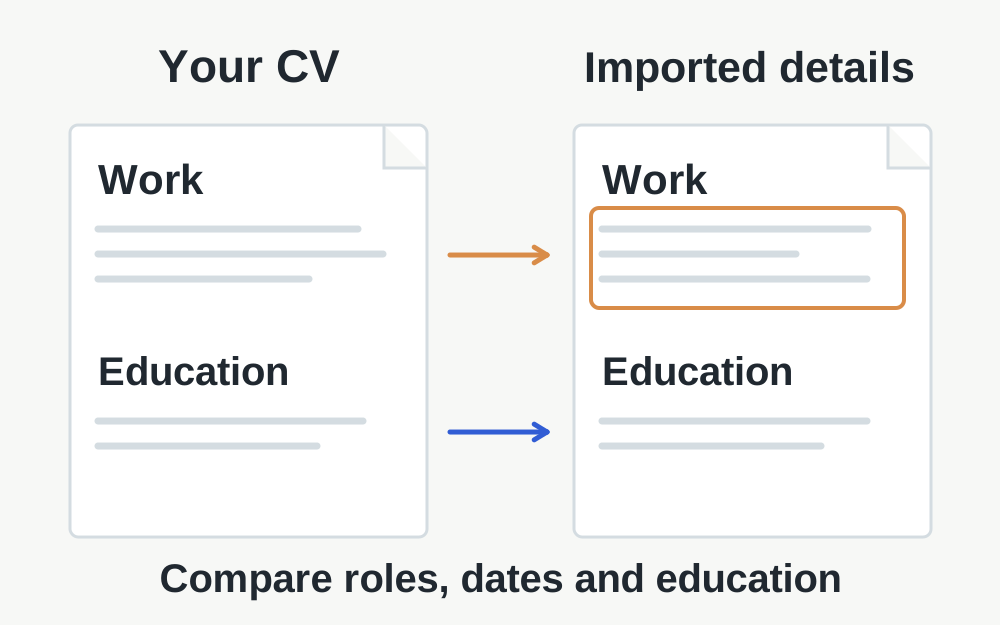
Indeed's profile guide describes previewing the CV before confirming the upload and checking the resulting information. Look at whether job titles, employers, dates and education ended up in the intended sections. A successful file transfer does not establish that every line has been classified correctly. Correct profile fields where necessary rather than continually re-uploading the same confusing layout.
Keep the version intended for the current application clear. If you tailor your CV for different roles, check which one is selected before applying. A generic filename can hide an outdated phone number or a version aimed at a different job. The upload mechanism cannot decide that the content is the most appropriate account of your experience for that vacancy.
Account and browser issues need a separate check
Confirm that you are signed in to the intended Indeed account and country site. If the upload control fails before inspecting the file, save your work and try a fresh session in a current browser. Make sure the document opens locally and is not a cloud placeholder still waiting to download. A working filename in a file picker is not proof of a complete local copy.
If another valid CV file uploads while one does not, compare their formats and exports. If neither works, note the device, app or browser, exact message and point of failure. Indeed's support guidance asks for that sort of context. Share only what is needed for diagnosis, especially where screenshots could expose private contact details or an employer's confidential information.
Understand the limit of a file check
Our tools can help identify measurable properties of a supported document and produce certain validated file outputs. They do not rate your career history, predict an interview, test every employer's recruitment system or guarantee that a CV will be parsed correctly. A recognised signature and suitable size remove only some technical obstacles.
Selected files stay within your browser during our local processing. After reviewing a result, you decide whether to upload it to Indeed and how to configure the profile's visibility. Check those settings in Indeed itself. Preparing a private file locally and publishing a searchable profile are different actions, and one does not automatically imply the other.
Questions that come up
Does changing JPG to PDF make my CV text-based?
No. It places the image in a PDF document, but the words can remain pixels. If you have an editable CV, export a PDF from that source. Review the text and layout afterwards rather than assuming the PDF extension makes the document suitable for automated reading.
Why has Indeed put my experience in the wrong section?
The file may have uploaded correctly while its layout or headings were interpreted unexpectedly. Review the profile fields and edit them where needed. A cleaner source layout can help, but no general file-size check can guarantee that every role, date and heading will import into the right place.