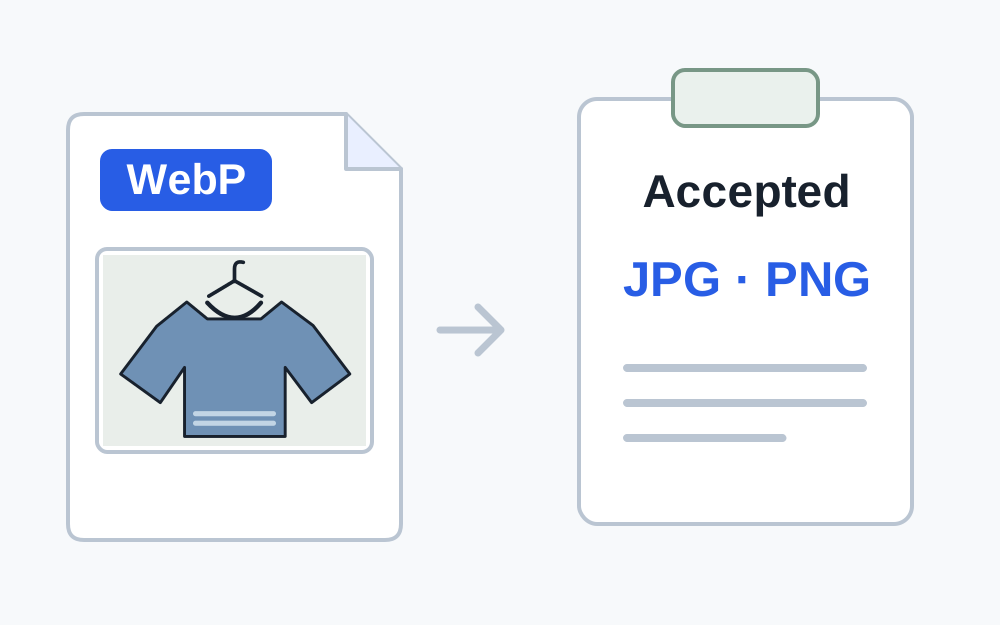
Find the list that applies to this field
Look beside the upload control and in the receiving service's current help. A photograph field may accept JPG and PNG while a document field accepts PDF. Another part of the same site may allow more formats. Use the instructions for the action you are completing.
Pay attention to document categories as well as suffixes. If a form asks for an editable document, a picture of that document may not be suitable even when pictures are accepted elsewhere. If it asks for a digital photograph, placing a photo inside a PDF does not necessarily fulfil the request.
When the instructions are vague, ask what format is required. Do not infer a universal rule from an example filename or from what somebody submitted to a different service. A local checker needs actual requirements to make a meaningful comparison.
Establish what the file contains
The extension, declared media type and encoded contents are related clues, but they need not agree. A renamed WebP can end in .jpg while still containing WebP data. A PDF label on an image does not create PDF pages. A content-based signature check helps expose these disagreements.
Make My Files Work recognises a defined set of image and PDF signatures. Its basic file type check covers JPG, PNG, WebP, GIF, HEIC and PDF. Files outside that set are reported as unrecognised rather than guessed. That does not mean the format is invalid everywhere; it means this check cannot establish it.
A recognised signature is not a complete integrity or security assessment. If a document came from an unexpected source, do not treat the result as permission to open it. If it will not open in its intended application, obtain a reliable copy before attempting to prepare it for submission.
Choose the least disruptive valid export
Use the original application when it can export the required format directly. A document editor's PDF export is usually a clearer route than taking screenshots of every page and assembling them afterwards. Check the saved result because layout, page breaks and fonts can change during export.
For an image, select a destination format the website explicitly accepts. JPEG can be suitable for photographs, while PNG can preserve transparent areas and sharp graphics. The appropriate choice depends on the material as well as the permitted list. There is no universal best format for every upload.
Make My Files Work provides specific image conversions and image-to-PDF operations. It does not currently convert arbitrary Office files, videos, archives or every image format. If your source is outside its supported operations, return to the source application or obtain an accepted copy from the sender.
Know what a conversion may change
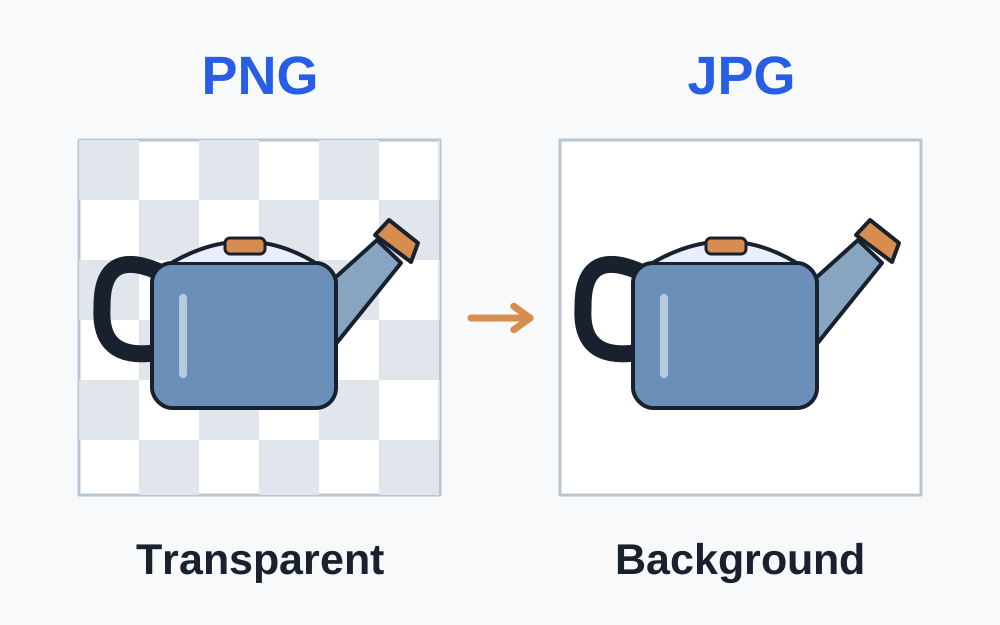
JPEG conversion does not retain transparency. A transparent PNG or WebP needs a chosen background if it is to become JPEG, and fine edges should be inspected afterwards. Converting a JPEG to PNG does not restore detail that earlier JPEG compression already removed.
An image-to-PDF tool places the picture into a PDF document. It does not recognise the text in the picture or make the content editable. If a recipient expects searchable text or an accessible document, a scan inside a PDF may need a different preparation workflow.
Rendering a PDF as page images changes its representation too. Links, interactive fields and text selection do not work in an ordinary JPEG page image as they did in the original PDF. Use such an output only when the receiving task genuinely calls for an image.
What to do with a misleading extension
When the detected contents are already in an accepted format, correct the inaccurate name rather than unnecessarily re-encoding the file. For example, a genuine PNG mistakenly named .jpg can receive a truthful .png extension where PNG is allowed. The safe filename converter can create a named copy for supported content.
When the real format is not accepted, renaming merely disguises the problem. You need a conversion. Keep those two cases separate: correcting a label preserves the bytes, while converting writes different encoded data. Recheck the output size after a genuine conversion.
JPG and JPEG commonly refer to the same encoding, so a suffix difference between them is not evidence of a completely different image type. A particular site may still have a strict extension rule. Follow its wording after confirming the underlying content.
Protected or complicated PDFs need another check
A website can accept PDF in general while rejecting a protected or otherwise unsupported PDF. Encryption, specific document features or structural problems may matter to its processing system. If the error names protection, read the service's policy and obtain an authorised suitable copy.
Make My Files Work does not remove PDF passwords or certify special document standards. Its processing tools reject encrypted PDFs and refuse outputs that fail their checks. A successful local parse also does not establish that a receiving service will accept every feature of the document.
If the file was downloaded incompletely, converting it may not recover what is missing. Download the source again or ask the issuer for a fresh export. Preserve any original digital signature or issued version when it matters to the recipient.
After conversion, check the remaining requirements
Open the exact downloaded file and inspect its content. Check page order for a document, orientation for a photograph and the smallest text where readability matters. Ensure the conversion did not leave out the item you intended to submit.
Compare the new byte size and dimensions with the site's requirements. A supported format can still be too large, too small or the wrong shape. The original and converted copies may have different properties, so an earlier check of the original no longer settles the question.
Select the new copy deliberately in the upload field. If the same generic error remains, try a fresh supported browser session after saving form answers. Report the actual format, extension, size and error to the organisation rather than cycling through random conversions.
Questions that come up
Why did the file picker let me choose an unsupported file?
A file picker is a selection interface, and its filtering is not the receiving site's final validation. The service may inspect the contents or apply further rules after selection. Being selectable does not prove acceptance.
Can I put the file in a ZIP to avoid the restriction?
Only submit ZIP when the instructions permit archives. The recipient still needs to process what is inside, and a ZIP-only workaround may breach the intended submission format. Ask for an approved alternative when none of the accepted formats suits the material.
What does unknown mean in the format checker?
It means the supported signature checks could not identify the content. It is not a confident diagnosis of damage or malware. Check the source application and request a fresh or recognised export when necessary.