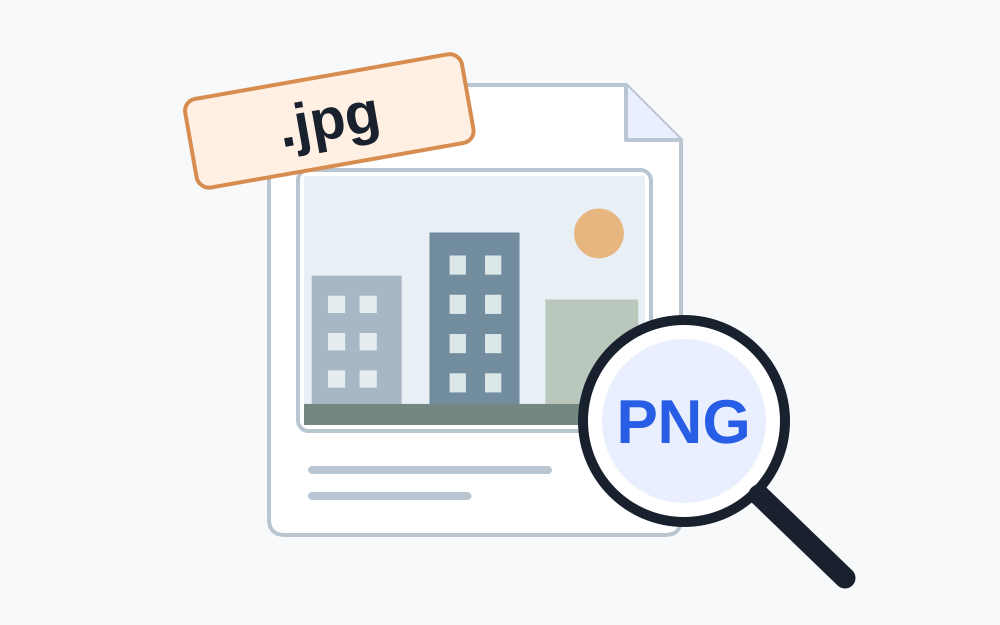
A name is not a conversion
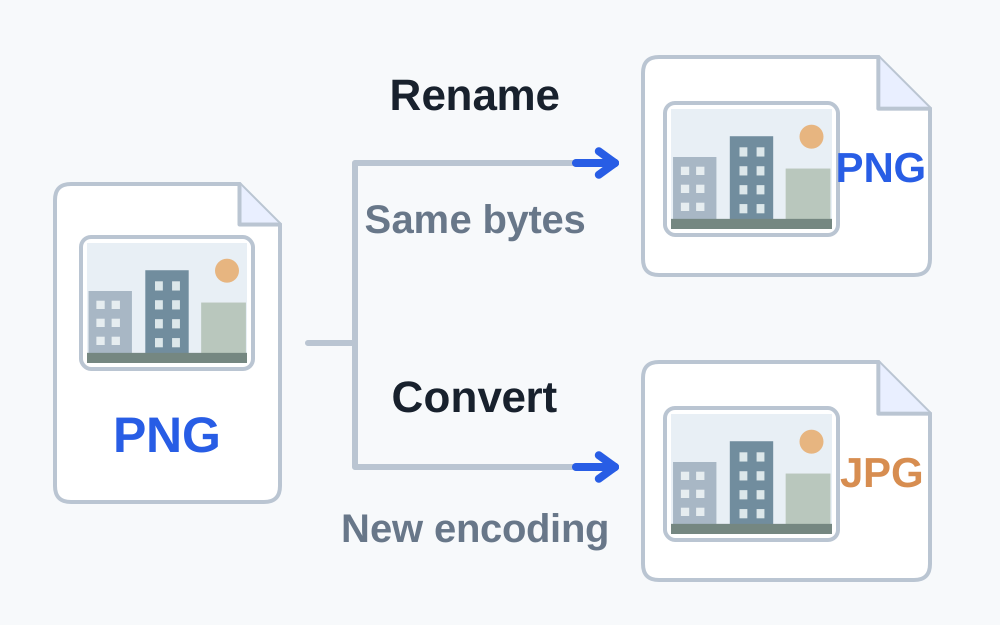
The extension is the ending after the final dot, such as .pdf, .png or .jpg. It helps software decide what to expect. It does not rewrite the file's structure. Renaming a PNG to .jpg leaves the PNG picture data inside; renaming a photograph to .pdf does not create a document with PDF pages.
Think about how the file reached you. It may have been renamed manually, saved with an unsuitable extension, or downloaded through a system that chose a poor filename. A mismatch is useful evidence, but it is not a complete explanation of what happened. It also does not establish whether an unexpected attachment is safe to open.
Check the recognised signature
Make My Files Work's file type checker reads a small part of the selected file and looks for supported signatures. These are recognisable byte patterns associated with particular formats. The basic inspector identifies JPG, PNG, WebP, GIF, HEIC and PDF signatures. It then compares that finding with the filename instead of trusting the extension alone.
A recognised header is only a starting point. A damaged file can retain a familiar header while later content is incomplete. A malicious file can also have a plausible label or signature. This checker is not an antivirus scanner and does not give unknown attachments a safety certificate. Treat files from an unexpected sender with the same caution as before.
An unknown result is different from a confirmed mismatch. It may mean that the format is outside the supported list, the download is incomplete, or the bytes do not match a recognised pattern. Do not choose a new extension by guesswork. Return to the source application or request a fresh copy in an agreed format.
When correcting the filename is reasonable
If the contents are a genuine PNG and the destination accepts PNG, correcting a misleading .jpg suffix to .png can make the name truthful. You are changing the label to match an existing format. The image's stored pixels and byte size need not change. Keep the original copy until the renamed file has opened correctly.
The safe filename converter creates a download with a normalised name that matches supported detected content. It does not convert the underlying data. Read the resulting filename before saving, especially if several downloads have similar names. A browser may add a number to distinguish files already in your Downloads folder.
JPG and JPEG are two usual suffixes for JPEG images. They should not be treated as two different image encodings. HEIC and HEIF naming is more complicated, so use the detected information together with the destination's accepted list. If a website explicitly names a narrower extension, follow that rule without pretending that a name change adds decoder support.
When a real conversion is necessary
If the destination accepts only JPEG and your file contains PNG, correcting the filename to .png will not solve the acceptance problem. A converter must decode the image and write a new JPEG. Likewise, a HEIC photograph needs a supported JPEG export when the receiving form excludes HEIC.
Choose conversion settings that suit the content. JPEG does not retain transparent areas, so a logo or cut-out may need an intentional background. Fine text can become less crisp after a lossy export. Compare the converted image at a useful zoom level instead of relying on a small thumbnail that hides artefacts.
For documents, export PDF from the original application when possible. A Word file renamed .pdf remains a Word file and is outside this site's document-conversion scope. An image-to-PDF conversion produces a PDF containing that image; it does not turn photographed writing into editable or searchable text.
Check names with several dots
A filename can contain several dots without being invalid. In application.final.pdf, the final .pdf is the extension. A name such as application.pdf.jpg normally ends in .jpg, regardless of the earlier word pdf. This can be easy to miss when a file manager shortens names or hides familiar extensions.
Read the full name in the file's information or properties view. Do not repeatedly append extensions until the icon looks right. You can end up with names such as photo.jpg.jpg while the underlying data is still something else. An icon is chosen by software associations and is not reliable evidence of the encoded format.
Use a clear descriptive name for the submission, but avoid including unnecessary private information. A short label such as supporting-document.pdf can be easier to distinguish than a very long name full of punctuation. Naming instructions from the recipient take priority over a general preference for tidy filenames.
If the mismatch returns after saving
Make sure you are selecting the new file rather than the original. Inspect the download location and compare both the name and modified time. Some applications offer an export-format menu separately from the filename box. Choose the required format there, then let the application supply the matching extension.
If a downloaded document is actually a web page containing an error or sign-in screen, renaming it will not recover the missing document. Return to the source site, sign in where required and download the actual attachment again. A very small file that fails to open may be a useful clue, but size alone cannot identify that situation.
Ask the sender for a clean export when the source is unclear. Explain the detected format and the extension you received without claiming the file is fraudulent or damaged unless you have separate evidence. A precise description makes it easier for the sender to reproduce the issue.
Verify the finished copy
Open the repaired or converted copy in an application that supports its actual format. For a picture, inspect orientation, edges and transparency. For a PDF, inspect the pages and confirm required information is present. Run a fresh size and compatibility check because conversion can increase the stored size.
Then select that exact copy in the destination's form. If it still fails, read the new message. A correct extension resolves a naming disagreement; it does not satisfy every requirement for dimensions, encryption, content or account access. Keep troubleshooting tied to the specific rule that remains unsatisfied.
Questions that come up
Can changing .jpeg to .jpg reduce the file size?
No. Both labels commonly refer to JPEG, and changing the name does not remove any image data. Use genuine compression only when the receiving site's byte limit requires it.
Why does a wrongly named image still open on my phone?
Some applications identify a format from its contents rather than relying entirely on the filename. Another website may enforce stricter agreement between the name, declared type and data. Opening successfully in one viewer does not prove that all upload checks will accept it.