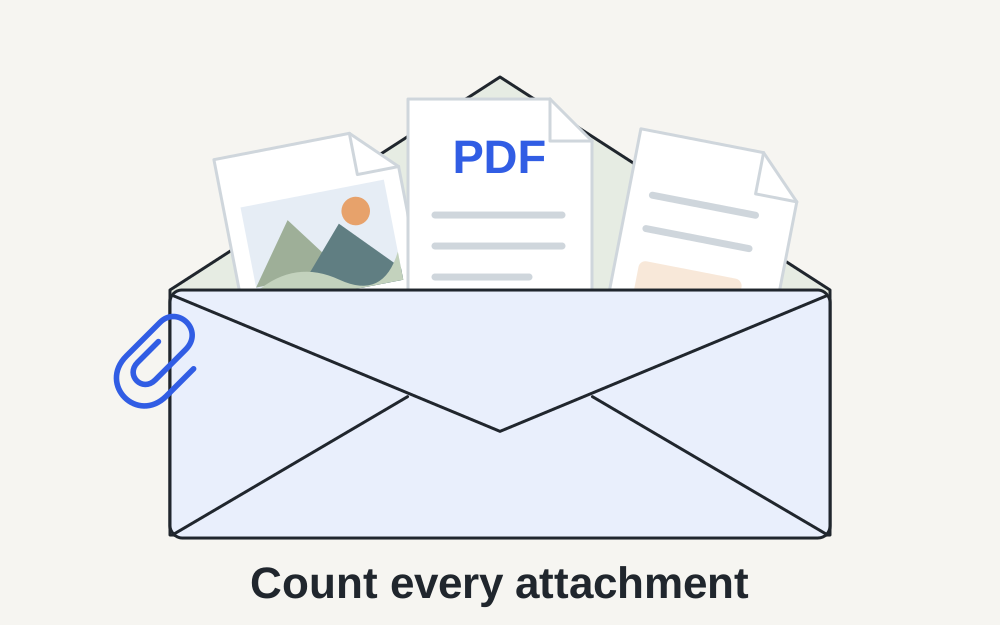
Which Gmail limit applies to your account?
Google's current help gives personal Gmail accounts a 25MB attachment limit. Multiple attachments count towards that total. Work and school accounts can have limits set by their Google Workspace administrator. When the total exceeds the applicable limit, Gmail can substitute a Google Drive link. The linked help was checked on 14 November 2026.
Do not assume a number quoted for a personal address describes your employer's account. Your recipient may also have a separate receiving policy. If the message is rejected after sending, read the delivery error rather than treating every problem as a Gmail upload limit. A file that Gmail accepts can still be unsuitable for the destination mailbox or application.
Add up the actual attachments in the draft
Suppose you have three scans of roughly 9MB each. None looks especially large on its own, but together they amount to about 27MB before you consider anything else. Removing a duplicate scan may solve the immediate problem without changing document quality. Check attachment names carefully, particularly if you selected files twice after an upload appeared slow.
For an exact comparison, measure the files you really intend to send. Rounded labels can hide a small difference close to a cap. Leave some room below the stated limit rather than targeting an exact displayed number. Make My Files Work's file-size checker can inspect a selected file, but it does not connect to Gmail or read the contents of your draft.
Decide whether the recipient needs a copy or a link
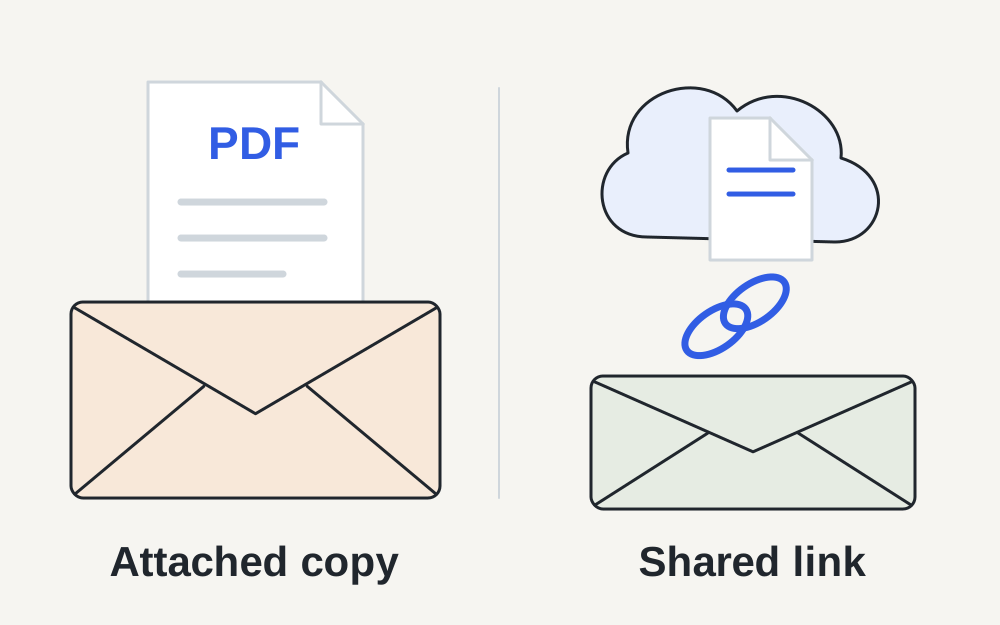
An attachment travels with the message as a file. A Drive link points to a file stored elsewhere and depends on access permissions. For ordinary collaboration, the link may be convenient. For an application process, automated inbox or organisation that explicitly requires attachments, it may be unacceptable even though the recipient can open it manually.
Read the receiving instructions before choosing the easier option. If a request says to attach a signed PDF, ask the recipient before substituting a shared folder. If the task is simply to let a colleague review a large image, a controlled link may avoid unnecessary compression. The right choice depends on what the recipient needs to do with the document, not just what sends successfully.
Check Drive access as carefully as file size
Google documents different sharing choices for Drive files in Gmail, including access limited to recipients and broader link access. Organisational settings can restrict sharing. Check which account owns the file and which email address is meant to receive permission. A working link in your own signed-in browser does not prove that somebody else can open it.
For a private document, choose access deliberately rather than making a link public simply to stop an access error. If a recipient reports that permission is missing, inspect the actual sharing settings and the address used. Do not keep generating new compressed copies to solve an authorisation problem. Keep the required access in place for as long as the recipient needs the file.
Reduce photos without losing the reason you are sending them
Photographs can contain far more pixels than an email discussion needs. A smaller export may be entirely suitable for someone checking a product colour or viewing a family picture. It may be unsuitable for someone preparing a large print or inspecting fine damage. Agree on the purpose before discarding detail, then compare the reduced image with the original.
Use a genuine supported conversion if the recipient needs JPEG instead of HEIC or WebP. Check orientation and background after conversion, especially where an image contains transparency. If you send several pictures, choose descriptive filenames so the recipient can connect them to your message. A small, well-labelled set is often easier to use than an unexplained archive of every version.
Be realistic about compressing a PDF
A text-based PDF exported from a word processor may already be compact. A scan made from large page photographs may be much heavier. Make My Files Work's PDF compression repacks the document without rasterising text; it does not aggressively recompress all scanned page images. Some files therefore cannot be made meaningfully smaller with this operation.
If the result is still too large, return to the original application or scanner and create an appropriate smaller export. Inspect every page for legible figures, signatures and stamps. Do not remove required pages or turn a searchable document into screenshots merely to meet an email limit. If splitting is permitted, explain the parts clearly rather than sending an incomplete document that looks finished.
If attachments will not upload even though they fit
Check whether the progress indicator is still active, whether the local file opens, and whether a small ordinary attachment works. A cloud file that has not downloaded to your device can be mistaken for a complete local file. A failed connection can also leave a draft with an attachment name but no finished transfer.
Google's help recommends trying a supported browser or another browser for attachment problems. Its current guidance also describes failed Drive uploads and files still being added from another device. Save the message text before starting a fresh session. If the problem affects every normal file, changing the document format repeatedly is unlikely to be a useful first response.
Do not confuse a security block with a size problem
Gmail blocks certain attachment types for security reasons. A warning about a blocked executable is different from a large-photo warning. Renaming a prohibited file or concealing it in another container is not a sensible fix. Use the receiving organisation's approved transfer method when a legitimate work file cannot be sent by ordinary email.
Make My Files Work's format check is not a malware scan and does not certify an attachment as safe. Only open files you have a reason to trust. For a document you created yourself, keep the original source and use a straightforward export. If an unexpected attachment has arrived from somebody else, do not treat a recognised PDF signature as proof that its contents are harmless.
Confirm what was sent, and what the recipient received
Before sending, open each final attachment from your local folder and compare its name with the draft. Remove superseded versions so the recipient does not have to guess which is correct. If you used a Drive link, confirm that the message describes it as a link and gives enough context to identify the file.
After sending an important document, check for a delivery failure and keep any acknowledgement required by the receiving process. An item in Sent does not establish that an application has accepted the evidence. If you need support, retain the exact error wording and the total attachment size, while avoiding unnecessary disclosure of the document's private contents.
Questions that come up
Can I send two 20MB attachments through personal Gmail?
Their combined size exceeds the published personal-account allowance. Gmail may insert Drive links instead. If the recipient requires attached copies, prepare a suitable smaller set or agree another approved method. Sending separate messages only helps when the recipient allows the material to arrive that way.
Will a ZIP always make my attachments small enough?
No. JPEG photographs and many PDFs already contain compressed data, so an archive may save little. A ZIP also changes how the recipient accesses the files and may be blocked by their system. Check both the final archive size and whether that format is acceptable before relying on it.