
Read the listing rules, rather than the logo rules
Etsy recommends listing images at least 2000 pixels wide and high. Its guidance says the first image should be at least 635 pixels in both directions to avoid appearing lower in searches. It also warns that files above 1MB may struggle to finish uploading on slower connections. That last figure is practical upload advice, not a clearly stated universal maximum.
The image guide currently lists JPG, GIF, PNG, SVG and HEIC. It warns that animated GIFs and transparent PNGs are not supported, with transparent areas potentially appearing black. These details were checked on 14 November 2026. A shop logo has its own instructions, so do not apply a small square logo specification to a product photograph.
Start with the best available source photograph
Use the image exported from your camera or original design file. Copies saved from a message, an old thumbnail or a screenshot may have been reduced already. If you need to see whether a small maker's mark is clear, inspect the original at a sensible zoom level before uploading. Saving a blurry source as a larger file does not restore that detail.
Choose a photograph that leaves room around the whole product. A close crop may look attractive in the full image yet cut off handles, sleeves or packaging in the thumbnail. This is a framing problem, not a compression problem. Keeping the product clear in the centre gives you more options when using Etsy's preview and placement controls.
Check pixels and storage size as separate measurements
The dimensions checker reports pixel width and height for supported images. Those numbers describe the available image area. The file size checker reports how much data the image contains. A large PNG with a plain background and a detailed JPEG photograph may have similar dimensions but quite different byte sizes. Pick your next step from the measurement that is causing trouble.
As an example, an image that is only 450 pixels wide needs a better source if the product detail is inadequate. Compressing it will not make it wider. A photograph with ample detail that repeatedly stalls during transfer might benefit from a smaller export. Keep the original so you can reverse that decision if the reduced version introduces visible blocks or softens the product.
Fix black backgrounds deliberately
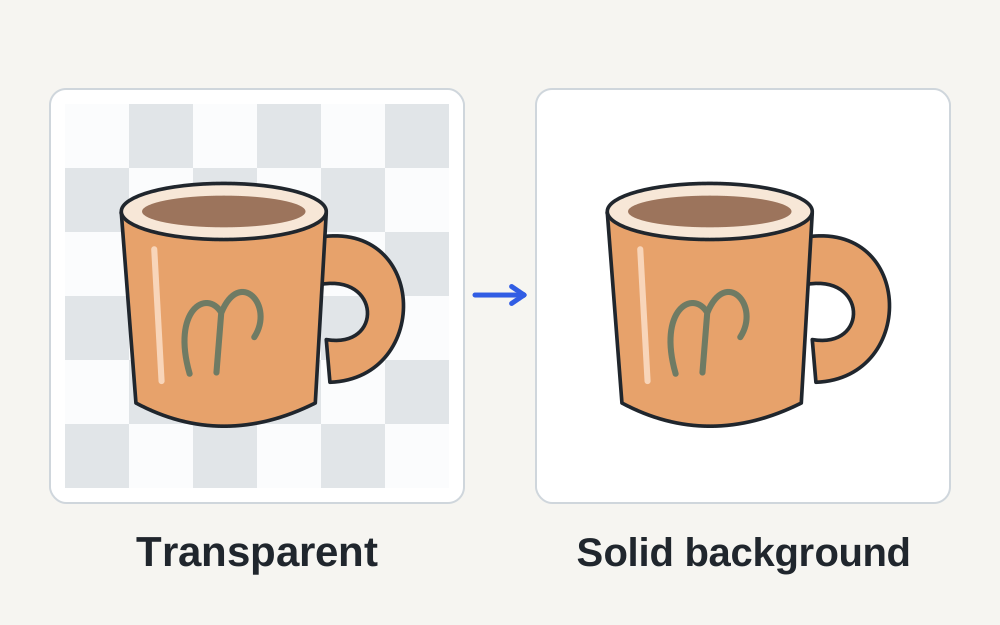
Transparency is useful when placing a logo over different backgrounds, but it can cause a surprise in a listing photograph. If a transparent PNG appears black after upload, open it against a coloured background locally to see which areas are actually transparent. A white preview in an editor can hide the distinction between a white background and no background at all.
For a still product photo that should have a solid background, the PNG-to-JPG tool lets you choose a background when conversion would otherwise lose transparency. Select a background that suits the real photograph, then inspect the edges of the item. A thin pale outline or dark fringe may become visible after flattening. Conversion should not be used to conceal the condition or change the product's appearance.
Keep the product representation accurate
Etsy's current listing-image rules require at least one real, unedited photograph for most physical items, with category-specific exceptions explained in its official guidance. Its definition allows operations such as cropping, resizing and changing file format, but does not permit hiding damage or changing what buyers will receive. Check the rules for your particular product type before preparing the set.
Keep an untouched source photograph and work on copies for technical adjustments. This makes it easier to understand which version shows the original scene and which has been resized for delivery. If you sell personalised goods, check that example text and colour choices are described accurately in the listing. A technically correct upload cannot resolve a mismatch between an illustrative image and the item being offered.
When upload progress keeps stopping
Test one photograph first rather than repeatedly selecting the whole batch. Note whether it fails immediately, stops halfway or appears uploaded but disappears after saving. An immediate rejection often gives a useful clue about the file or field. A stalled transfer may point to the connection, the session or an unusually large export, but the timing alone is not proof.
Save your listing draft before troubleshooting the browser. Etsy's technical guidance suggests using a current browser or app and trying another browser when needed. If several normal images all fail, check for an Etsy service issue and test a fresh session. Preserve your draft before clearing site data, because signing out or losing unsaved work makes troubleshooting more frustrating.
Preview the thumbnail before replacing the whole set
A photo that looks fine when opened full size may be cropped in search results or other small placements. Inspect the first listing image in the available preview views. Leave enough space for the product to remain recognisable when the frame changes shape. Try a different lead image if the most detailed photograph is also the hardest one to recognise at small size.
Keep a consistent visual shape across the remaining photographs where practical. This does not mean stretching them all into identical dimensions. Stretching alters proportions; cropping or choosing a suitable source changes composition. If a garment, print or piece of furniture needs context, add a useful second view instead of relying on one image to explain everything.
Understand what a smaller export can and cannot improve
Reducing data can help a slow upload, but excessive JPEG compression may blur fine textures, produce edges around lettering or make gradients uneven. Compare the exported image with the source before selecting it for the listing. Look at the actual product rather than judging success from a percentage reduction. A much smaller file can still be the wrong result.
Colour changes deserve a separate check. Etsy recommends sRGB for images that appear in unexpected colours. Make My Files Work's tools do not certify that a product colour is accurate or replace a colour-managed editing workflow. If the image looks wrong only after upload, compare a fresh export with the original and the shop preview before repeatedly changing brightness or saturation.
Use the local tools for the file problem you have
You can inspect supported image size and dimensions without sending the selected photograph to our server. Format conversion and size reduction create a separate downloadable copy where the operation succeeds. Review that copy yourself, then upload it through Etsy. The checker does not access your shop, save listing drafts or assess Etsy's account settings.
If the measured file looks suitable and the upload continues to fail, record the exact message, the affected listing, the image's format and size, and whether another image works. Those details help Etsy support distinguish a file problem from a broader technical issue. Avoid sending private order information or customer photographs when a plain product-image example is enough.
Questions that come up
Must every Etsy listing photo be smaller than 1MB?
Etsy warns that larger images may fail to finish uploading, especially on slower connections. Its image guide does not describe that warning as one universal hard upload cap. Use a readable, reasonably sized image and follow the actual uploader's message instead of reducing every photograph to an arbitrary target.
Can I convert HEIC because Etsy will not accept it?
The current Etsy image guide lists HEIC, so conversion is not automatically necessary. If a particular file still causes trouble, check the uploader and try an ordinary JPEG export from a readable original. Changing the extension alone does not perform a conversion.