What Microsoft currently allows form owners to configure
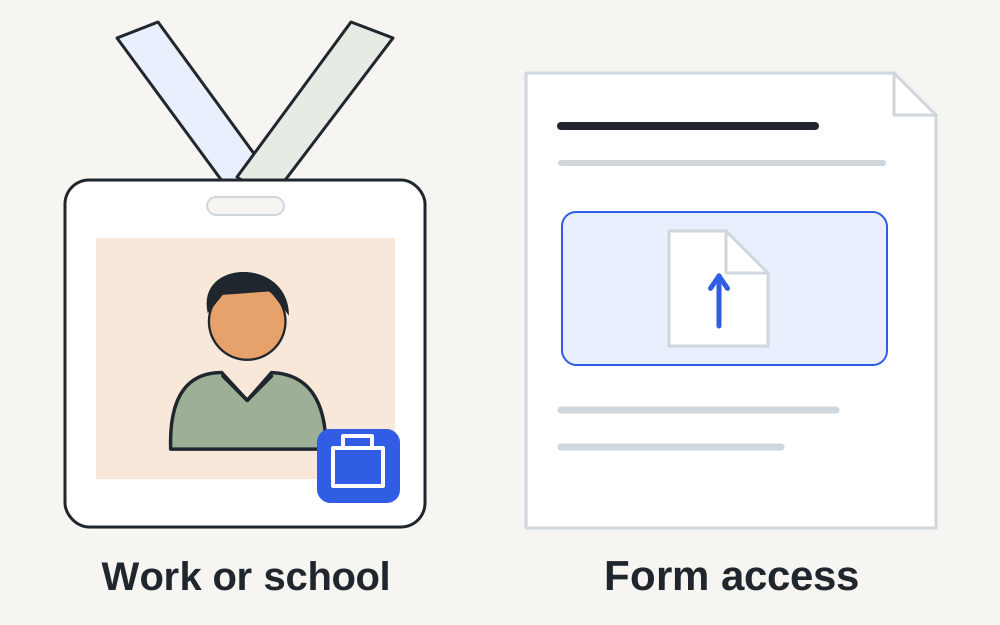
Microsoft documents file-upload questions for forms restricted to people in the organisation or specified people in it. Owners can set a maximum of up to ten files per question and choose a single-file limit of 10MB, 100MB or 1GB. They can also restrict file categories. These are available settings, not a promise that your question allows the largest values.
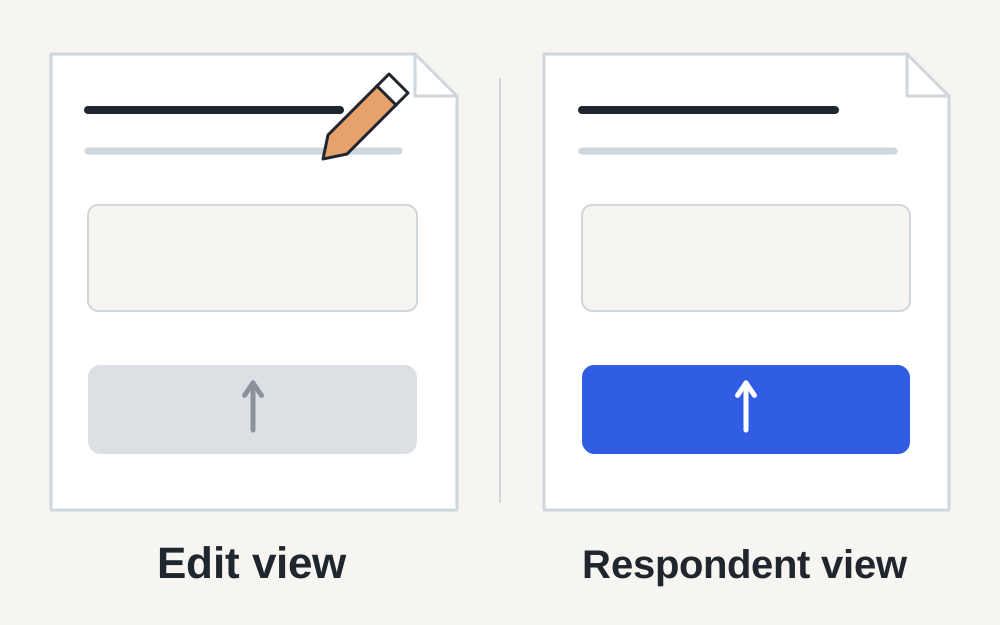
The official article says the upload button is inactive for the author in the editing view but active for respondents. It also notes that moving the SharePoint site to a different domain can break existing upload questions. This guidance was checked on 14 November 2026. Respondents should read their actual question; owners should check the form's configuration.
If you are responding, confirm your work or school identity
Look at which account is signed in before selecting the document. A personal Microsoft account and an organisation account can belong to the same person but have different permissions. If the form was shared through your employer or college, use the identity specified in the invitation and resolve any access message before editing your files.
An external respondent may be able to read a link yet still be outside the allowed group. Ask the sender for the intended submission route rather than repeatedly trying another email address. Do not use someone else's organisation account to make the upload work. Access is part of the form's design, and only an authorised owner can decide how the evidence should be collected.
If you own the form, test the respondent experience
A control that is inactive while you edit a question can be normal. Use the appropriate preview or respondent link and test with an account that meets the form's response settings. Keep test material clearly separate from genuine submissions so a colleague does not mistake an empty sample document for the completed evidence.
Check the question's count, size and category settings together. A form allowing several large PDFs is configured differently from one expecting one small image. If respondents report a sudden failure after an organisational change, ask the relevant administrator about the storage location and domain rather than assuming all their files became invalid overnight.
Read the file question before preparing a replacement
Write down how many files are requested, which categories are allowed and the size limit shown. The word 'Image' or 'Document' may describe a configured category rather than every format that your computer can open. Use a straightforward permitted export for the task. A file that works in a Word question may not be suitable for an image-only question.
Also check whether the upload belongs in that particular field. Combining unrelated evidence into one PDF to avoid a count limit can make the submission harder to review and may conflict with the instructions. If the question is ambiguous, ask the owner how the documents should be arranged instead of choosing a structure merely because it passes a technical check.
Match the checker's capabilities to the file
Make My Files Work can inspect supported image and PDF properties locally, including size and recognised file format. Enter the actual limits you have been given. It does not connect to Microsoft Forms, discover the owner's settings or confirm your account's access. A passed local comparison means only that the measured properties match the rules you entered.
Our local file-processing limit is lower than some sizes Microsoft lets form owners select. A file that exceeds our supported input limit may still be permitted by the form. Conversely, a file our tools can open may be disallowed by that question. For Office files, audio or video, use the original application and the form's instructions; these tools do not convert every category Microsoft supports.
When a PDF or photograph really is too large
For photographs, preserve the original and export a copy with appropriate detail for the task. A document photograph must remain readable, including any relevant dates, page edges and signatures. If an upload asks for a formal certificate, do not crop away essential information simply to reduce the file size. Review the actual downloaded copy before selecting it.
PDF compression here uses lossless repacking and may achieve little for scanned documents. If the required limit cannot be reached, return to the source document or scanner and produce a suitable smaller export. A form owner's choice of a small cap does not make aggressive degradation appropriate. Ask about an approved alternative where the evidence cannot remain readable within it.
A stalled transfer needs a different investigation
Make sure the selected file opens locally and has finished downloading from any cloud storage. Try one permitted file rather than a large batch, and note the stage at which it fails. If one fresh copy succeeds while another does not, compare their actual formats and sizes. If all ordinary files fail, consider account, session or form-side conditions.
Save your answers before refreshing or changing browsers. Use an up-to-date browser allowed by your organisation and keep any security policies in place. A successful attempt from another supported browser can help identify a browser-specific issue, but it is not proof that the original document was faulty. Record the useful difference rather than changing several things at once.
Confirm the submission, not just the attachment
When an attachment appears beneath a question, continue through the form and check for required answers elsewhere. The presence of a filename is not a final submission receipt. Read the confirmation after sending and keep any acknowledgement the process provides. If the form is part of an application or work request, follow the organisation's separate completion instructions.
For a multi-document response, compare the displayed filenames with your final working copies. Remove superseded versions when the interface allows it. It is easy to attach a corrected document while leaving an older version beside it, creating uncertainty for the reviewer. Use clear names and the requested document order rather than assuming the reviewer will infer which version matters.
Escalate the part you cannot control
Respondents can correct a file, select the intended account and report an error. They cannot change organisation restrictions or repair a storage configuration. Send the owner the question label, error wording, account type, browser and file properties. A screenshot of the error is usually more useful than an unstructured account of repeated retries.
Owners should reproduce the issue with suitable test material and consult the organisation's administrator when the problem points to permissions or storage. Keep confidential evidence out of public support forums. Make My Files Work supplies file measurements and supported local conversions; it does not submit the response, bypass access checks or guarantee that Microsoft Forms will accept the result.
Questions that come up
Why is the Microsoft Forms upload button greyed out?
In the author's editing view this can be expected behaviour, according to Microsoft. If you are a respondent, check that you are using the intended organisation account and that the form owner has configured the question correctly. The same appearance can have different causes depending on which view you are using.
Does every Microsoft Form accept a 1GB file?
No. That is one setting available to the owner. The specific question may use a lower size limit, allow fewer files or restrict categories. Read its instructions and do not use the largest possible configuration as a substitute for the rules on your form.