Translate the requirement into a clear comparison
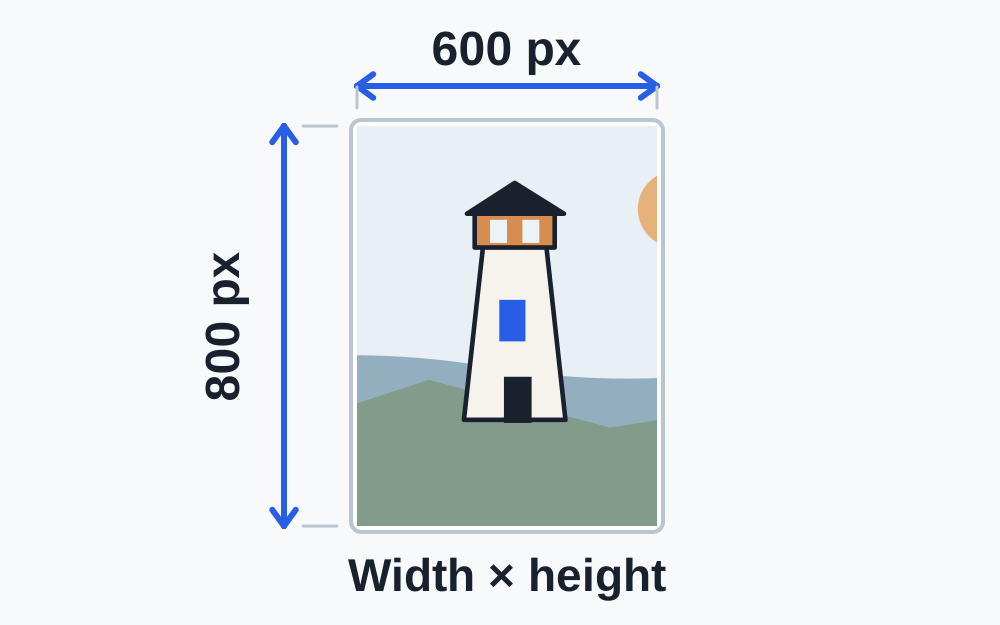
Write the required width first and height second, following the site's wording. A 600 × 800 image is portrait; 800 × 600 is landscape. Those two files contain the same number of pixels but do not satisfy the same exact-dimension rule. A sideways photograph can therefore fail even when both numbers look familiar.
Distinguish an exact size from a range. Exactly 500 × 500 pixels is not equivalent to at least 500 pixels wide. A maximum width permits smaller values unless a separate minimum is stated. Read all the conditions together rather than selecting one number from a paragraph.
Some destinations specify a shape, such as square, as well as dimensions. A square image has equal width and height. A rectangular image cannot become square simply by lowering JPEG quality. It needs an appropriate crop or permitted padding, and the recipient may have rules about which of those is acceptable.
When entering an exact requirement in a checker that offers minimum and maximum fields, set both limits to the same required value for each axis. Leaving one boundary blank tests only part of the instruction.
Measure the file, not the preview
A photo displayed in a small box on your phone may still contain thousands of pixels. Websites scale previews to fit available space. The visual size of that preview does not establish the stored dimensions of the file you will submit. Use the image's information or a dimensions checker.
Make My Files Work's detailed image checker reads available dimensions from supported image structures. The basic workspace may also use the browser's image reader. Neither result should be treated as a full image-quality assessment. HEIC dimensions remain unverified until a compatible decoder reads the image; missing measurements do not mean a width or height of zero.
Check the particular saved copy. Cropping, messaging, downloading a thumbnail or exporting from an editor can change dimensions. If you inspect the original but upload a smaller messaging copy, the earlier result no longer describes the submitted file.
Resizing and cropping solve different problems
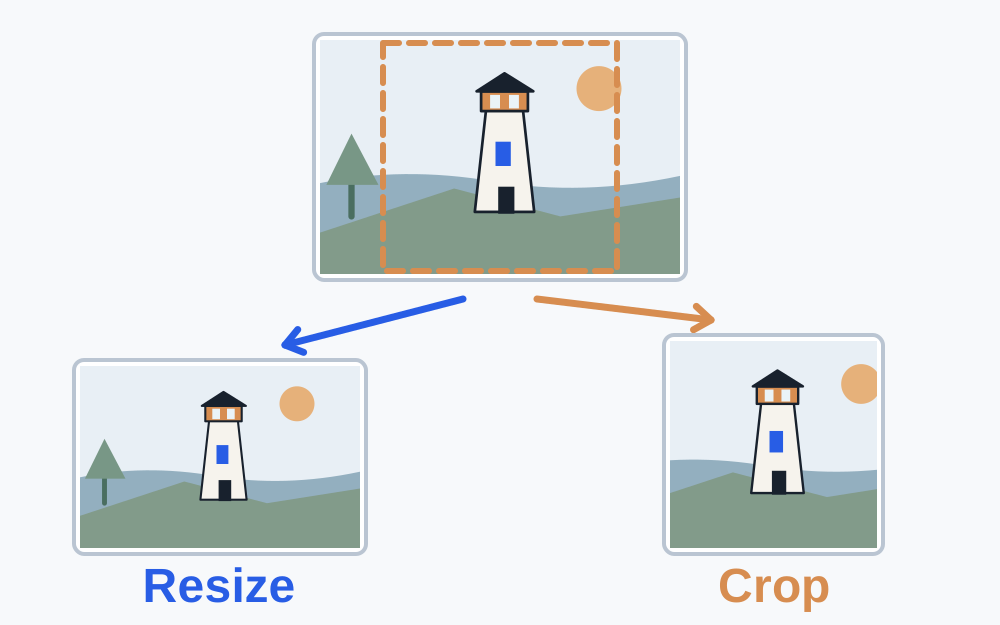
Resizing changes the number of pixels used to represent the picture. Keeping the same proportions avoids stretching the subject. For example, halving both dimensions of a 1600 × 1200 image gives 800 × 600, which remains the same rectangular shape. These are illustrative dimensions, not a requirement for a particular platform.
Cropping changes which part of the picture remains. It can produce a required shape, but it also removes content. Before cropping a document, check whether all edges, dates, signatures and stamps must remain visible. Before cropping an identity photograph, consult the official composition rules rather than relying on a square preview.
Padding adds space around an image so the canvas can reach another shape without distorting the subject. That may be suitable for artwork when the recipient permits it. It is not a universal solution for evidence photographs or identity applications. This site does not claim that every crop or padding operation is available in its current tools.
Do not stretch a picture to force it to fit
Setting unrelated width and height values can make a face wider, a product narrower or a signature unusually tall. A file may meet the numerical rule while becoming misleading or unsuitable. Preserve proportions unless the original itself has a known distortion that you are authorised to correct.
If the required shape differs greatly from the original, choose a better-framed source. Retaking a photograph with the necessary space around the subject is often more useful than trying to rescue an unsuitable crop. For documents, capturing the complete page clearly should come before optimising the file for a form.
Pixels are not the same as print measurements
A requirement in millimetres or centimetres describes physical size. Converting that to pixels needs an intended resolution, usually expressed in pixels per inch. Without that information, a print measurement alone does not identify one unique pixel width and height. Look for a separate digital-photo specification.
DPI metadata does not create additional image detail. Changing a resolution label while leaving the pixel grid unchanged cannot recover a blurred face or small unreadable text. If the destination explicitly checks resolution metadata, follow that rule too, but keep it separate from the number of available pixels.
Make My Files Work's dimension inputs concern image pixels. They do not certify a print layout, printer quality or an official photograph's suitability. A PDF page's physical geometry is another measurement again and belongs in the PDF page size checker.
What if the photo is too small?
Enlarging an image can increase its pixel dimensions but cannot recreate detail that was never captured. An enlarged thumbnail may satisfy a numerical minimum while still looking soft. Find the original camera image or a higher-resolution export if one exists.
Be careful with images saved from a website. The visible page may provide a small preview separate from the original download. Use the legitimate full-size source where available, respecting permissions. Enlarging a screen capture repeatedly is unlikely to produce a good replacement.
Read the receiving service's quality and content requirements alongside the numbers. For a photograph of writing, check the smallest required text. For artwork, inspect edges. A dimensions checker measures size; it does not decide whether the picture is sharp, truthful or suitable for the intended purpose.
Recheck after every final export
Some editors crop first and resize during export; others use a preset that changes the output again. Inspect the saved download rather than assuming the values displayed in an editing panel became the final file. Confirm orientation, width, height and accepted format together.
Then measure the byte size. Increasing dimensions can increase storage, and a PNG-to-JPG change can alter both transparency and quality. A destination may require the right shape and a separate maximum file size. Solve those constraints together without reducing below a required minimum.
If the reported dimensions match exactly and the upload still fails, check whether the site is rejecting another property. Read the current message, try selecting the intended copy again and ask support about any undocumented requirement. Do not keep stretching or cropping a compliant image merely because a generic error remains.
Questions that come up
Why does a square image still fail a square-photo form?
Shape is only one possible condition. The site may require an exact width and height, a minimum resolution, a permitted format or a byte limit. Check the full specification and confirm the downloaded file, not just the square preview.
Can PDF page resizing fix an image dimensions error?
PDF page geometry and image pixels are separate. Use a PDF tool when the submitted item is a PDF and the requirement concerns its pages. For a JPG or PNG upload, inspect and adjust the image itself.