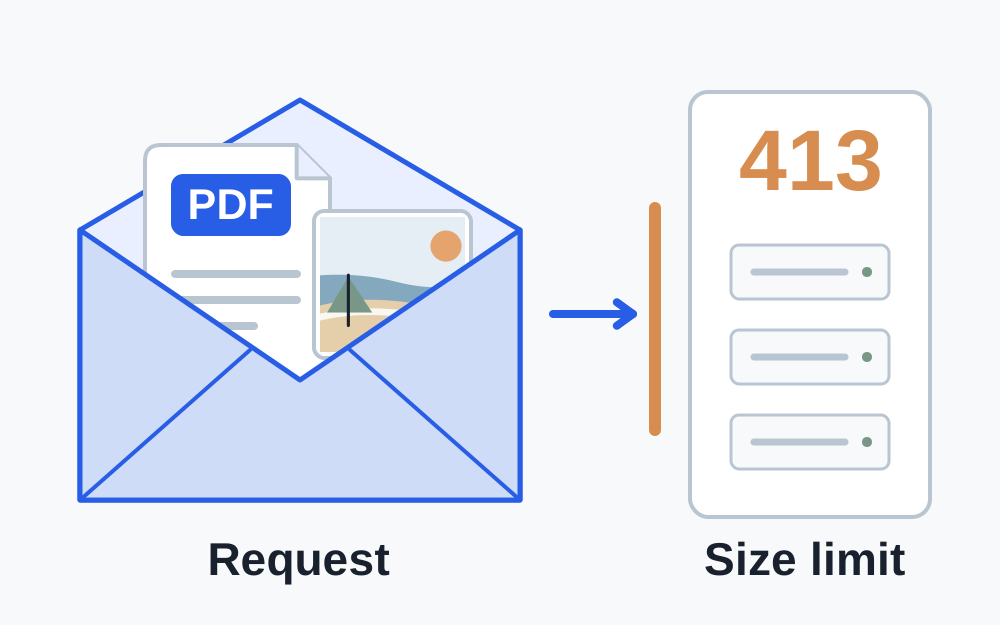
Check what the website actually allows
Read the note beside the upload field before choosing a compressor. It may specify a maximum for each attachment, a combined allowance for all attachments, or a different cap for a photograph and a document. Keep those rules separate. For example, three documents that each satisfy a per-file rule could still exceed a separate combined limit. That example is a way to interpret the instructions, not a rule that applies to every website.
Copy the full error message, including any number it gives. Check that you are using the correct part of the site: evidence uploads, profile photographs and message attachments may have different limits. If there is no published figure, ask the receiving organisation. Guessing a small target can needlessly damage a readable document while leaving the actual fault unresolved.
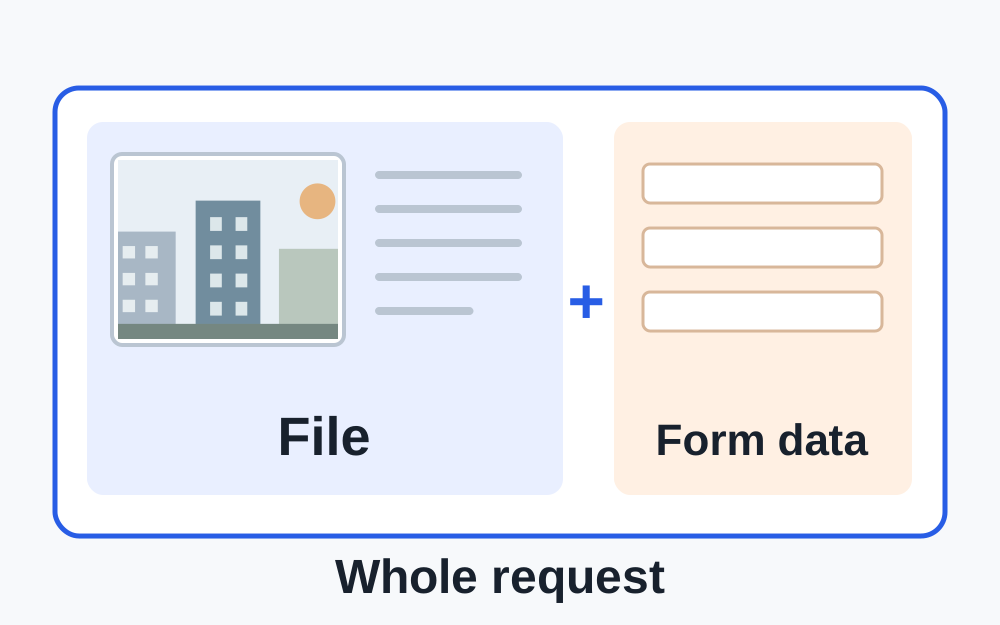
A request is larger than the file inside it
When a web form sends a file, it also sends information that describes the submission. Depending on the form, this can include field names, attachment names and other entered information. A server may limit that complete request rather than the file alone. This is why a file sitting exactly on a stated boundary is a poor target when you have room to make a modest reduction.
Do not assume that a displayed figure such as 2 MB gives the exact byte count. File managers and websites can round values or use different unit conventions. A decimal megabyte is 1,000,000 bytes; a mebibyte is 1,048,576 bytes. Make My Files Work's size controls currently use the latter calculation. If the destination states an exact byte cap, use that figure for your comparison rather than relying on matching labels.
Measure before reducing anything
Select the particular copy that failed. This sounds obvious, but a Downloads folder may contain an original, an export and several earlier attempts with nearly identical names. Check the filename, modification time and size together. Keep the original in a separate location so that you can return to it if a later export becomes too soft to read.
The file size checker reads the selected file locally through your browser. It can help establish whether your chosen copy is above a limit, but it cannot inspect another website's server configuration or measure the complete request that site will construct. Files above the local inspector's 25 MiB input cap need checking in your device's file information or original application.
Choose a reduction that suits the material
A photograph with unnecessary pixel dimensions may have room for a useful reduction, provided it still meets the destination's minimum dimensions. A screenshot containing small text needs a different judgement: inspect the smallest characters after saving. Make one change, measure the result, and then review it. Repeatedly converting an already degraded image is a poor substitute for working from the original.
For PDFs, establish whether the pages contain ordinary text or large scanned pictures. Make My Files Work's PDF compression repacks a readable PDF without deliberately turning its text into images. It does not provide aggressive scan downsampling. A scan-heavy document may therefore remain above the target. If you have the source scan or document, a carefully chosen smaller export may be more appropriate.
Only remove or split pages when the receiving organisation permits that arrangement. A successful transfer of incomplete evidence is not a useful outcome. Where every page is required and the readable document cannot fit, contact the organisation about an approved alternative submission method.
If a smaller, permitted file still gets 413
Stop changing quality once the selected file is comfortably below the stated limit. Check whether other attachments are still selected and whether the page retains an earlier file in the form. Clear the affected attachment field, select the intended copy again and review the list before submitting. Avoid resubmitting the entire application if the site has already confirmed receipt.
A fresh sign-in or browser session may help distinguish a stale form from a reproducible upload problem, but it does not alter a real size restriction. Save any unsent form answers before refreshing. If the same small file fails consistently, report the problem with the exact error, the time, the relevant upload field and the file's measured size.
What to tell the organisation
Useful support information is specific and modest: the page where the error occurred, whether one or several files were selected, each file's format and size, and whether another permitted small file behaves the same way. A screenshot of the error can help if it does not expose private answers. Do not send sensitive documents to a support address merely because somebody asks for an example.
Ask whether the advertised limit applies to the whole submission or to each attachment. If support confirms that your file satisfies the rules, the fault may need their technical team. Make My Files Work cannot raise their server limit or bypass the upload route. Keep a record of the response if you are working towards a deadline.
For the person running the website
A 413 response may be generated before the application's own upload handler receives the request. Check the component that issued the response and compare limits across the request path. A limit in the application, front-end server or intermediary can be different from the figure displayed to visitors. Raising one setting without understanding the rest can leave the same error in place.
Use a controlled test with permitted files around the intended boundary and confirm both rejection and acceptance behaviour. Account for a multi-file form and request overhead. Keep appropriate resource and security limits; an unlimited setting is not a sensible general fix. The public form should explain its effective limit and provide a useful error instead of making visitors guess.
Questions that come up
Will zipping the document fix a 413 error?
Only if the receiving service explicitly accepts ZIP files and the resulting archive meets its rules. A PDF-only upload field cannot use a ZIP simply because the archive is smaller. Some files are already compressed and gain little from being zipped.
Does error 413 mean my PDF is corrupt?
The status concerns request size. It does not, by itself, diagnose corruption. Check the file opens correctly, then investigate the size rule. If the website later reports a different error, treat that as a separate finding rather than assuming every failure has the same cause.
Should I keep pressing upload?
Repeated attempts with unchanged data usually provide little new information. Save your work, establish the applicable cap, and make one controlled retry. If the response includes a request to retry later, follow that instruction instead of repeatedly sending the same submission.